Most companies are now moving their legacy databases and monolithic applications into a cloud based setup. Moving to the cloud is almost a necessity in the present day, and having the right cloud migration strategy even more so.
Whether you’re a developer refactoring legacy codebases or a startup founder wanting to optimize operational costs, this is your guide.
What Is a Cloud Migration Strategy?
A cloud migration strategy is a structured plan that outlines how your company’s digital assets, applications, data and infrastructure will be migrated to a cloud environment.
It is more than just copying files from one place to the other. A good strategy gives a blueprint that focuses on business goals, budget and team capabilities. It details what applications to move first, data security and protection, and the migration process.
Cloud migration strategies change depending on whether you are moving to a public cloud like AWS, a private cloud, or a hybrid setup. Your strategy also depends on the size and complexity of your existing systems.
Benefits of Adapting Cloud Migration Strategies
Before getting into the how, it helps to understand the various benefits that companies get from cloud migration.
Lower Infrastructure Costs
You stop paying for hardware you own and maintain, like physical hardware. Instead, you pay for the resources you consume effectively lowering your expenditure.
Operational Scalability
Your infrastructure grows with your business. A cloud environment offers auto-scaling capabilities. If your application has a sudden traffic surge, the system automatically adds additional resources and scales them back down when not needed.
Improved Security
A strong cloud migration security strategy gives you access to enterprise grade tools. Cloud providers invest a lot of money in compliance, encryption, and threat detection. You also inherit these advantages for your business when you migrate.
Faster Deployment
Teams find it easier to ship when they are not managing physical infrastructure. Cloud environments support continuous delivery and modern DevOps practices.
The 7 Rs of an Effective Cloud Migration Strategy
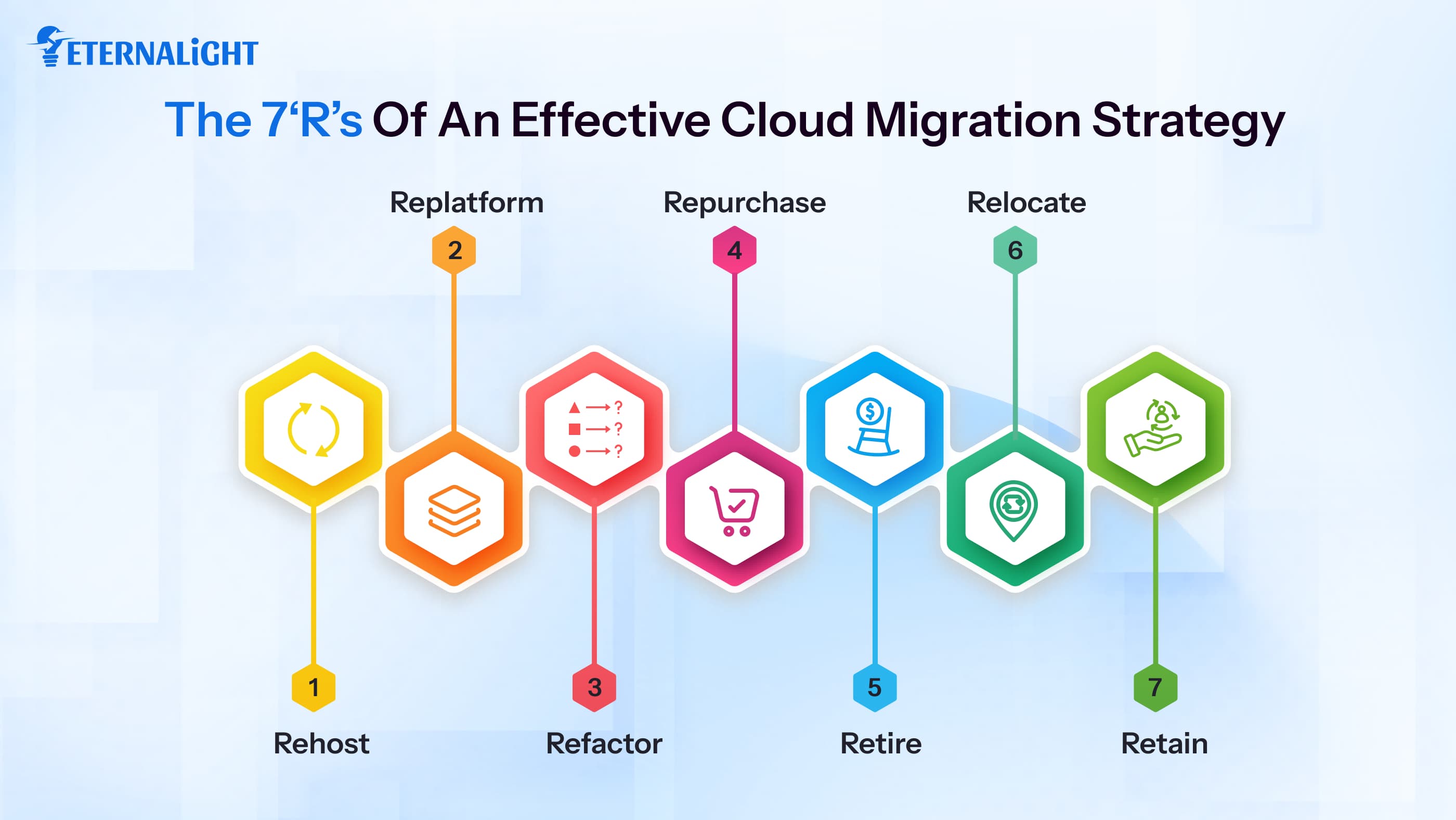
The 7 Rs framework is a famous model used to plan a cloud migration. Here’s what each one of them mean:
Rehost
Rehosting is moving your applications and data to the cloud with no modifications at all.
No redesigns and no refactoring. This is the fastest option and works well for when you need to migrate quickly. It works best for large enterprise migrations that are looking to quickly vacate physical data centers.
Replatform
Replatforming involves making minor optimizations to the application before moving it to the cloud. All of this is done without changing its core architecture. For example, you might swap a self hosted database for a fully managed service like Google Cloud SQL.
This works best for organizations wanting to reduce their administrative overhead without having to commit to a full rewrite.
Refactor
Refactoring is the process of completely rebuilding your applications to run natively in the cloud. You rebuild the application using the cloud native architecture. Think microservices, containers, and serverless functions.
This takes more time and money upfront, but it delivers the best long term performance.
Repurchase
Repurchasing means abandoning your legacy system or old commercial license in favor of a modern Software-as-a-Service (SaaS) alternative. It can cause issues with data migration and system customization.
This works well when the current application is outdated and a solution that fits your needs better already exists.
Retire
During your migration assessment, you will often find applications nobody uses anymore. The retire approach means decommissioning these apps completely. It reduces costs and complexity.
Relocate
You move workloads to the cloud at the infrastructure level without changing the application itself. It is different from rehosting because it involves moving virtual machines or containers, using tools like VMware Cloud. There are zero modifications that you need to make to the virtual machine configurations.
Retain
Some applications stay where they are. Retaining means keeping specific applications as they are in their current environment. This is used best for highly regulated data, legacy mainframes, or systems that are now at the end of their life and not worth migrating anymore.
What Are the Challenges of Cloud Migration?
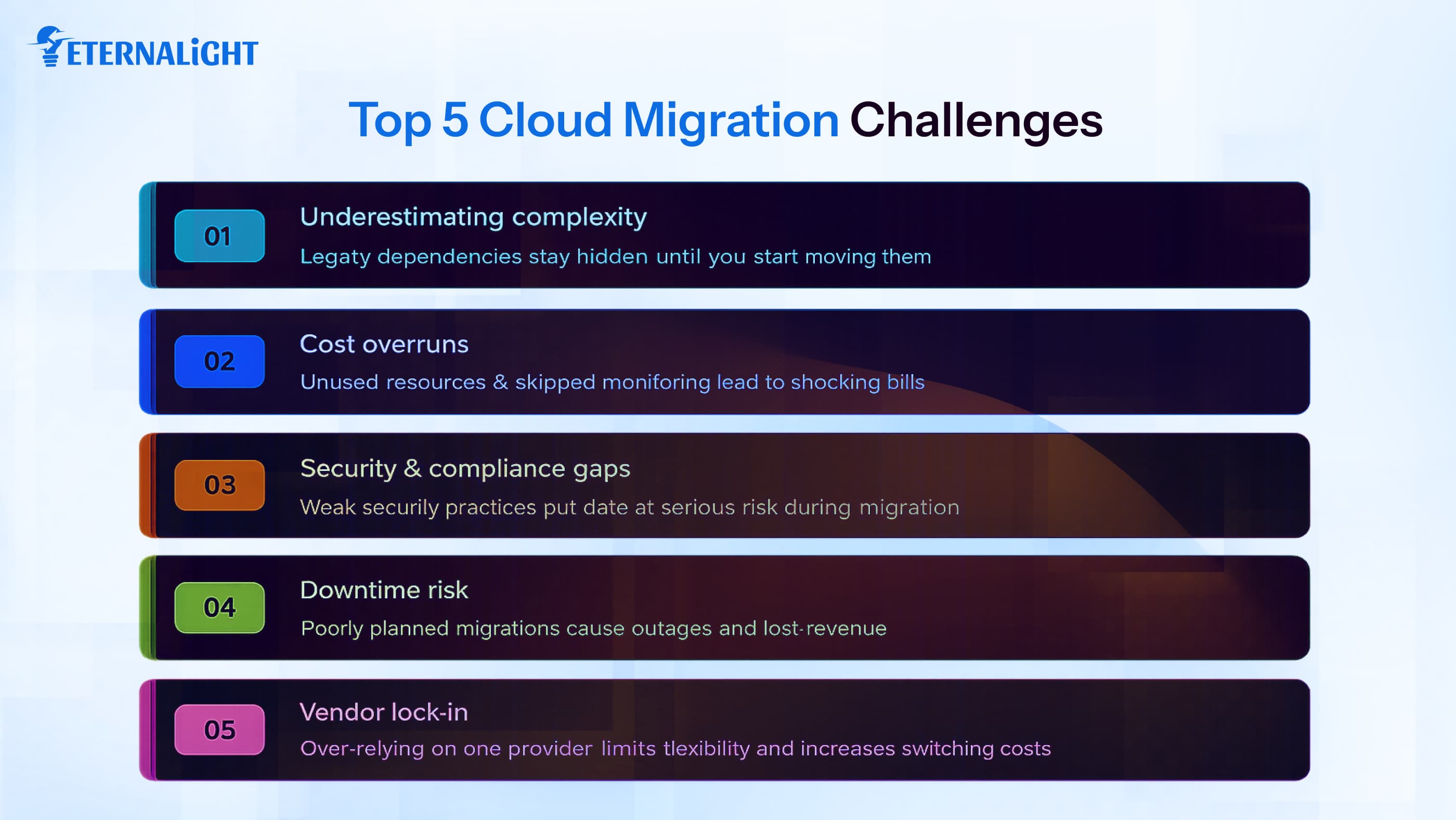
Here are some of the challenges you might face while migrating to the cloud:
- Underestimating complexity: Migration seems like a simple concept until you begin it. Legacy systems have dependencies that may not always be visible until you start moving them. The complexity of your project will almost certainly be higher than you estimate.
- Cost overruns: Cloud costs can exceed your budget quickly if you do not optimize it from the start. Forgetting to delete unused resources or skipping monitoring leads to high financial bills.
- Security and compliance gaps: Moving data to the cloud requires strong security measures. A weak cloud migration security practice puts data at risk. Ensure your security standards are up to date and keep your data safe.
- Downtime: Poorly planned migrations will cause outages. If your application serves customers 24/7, even a short window of downtime can cost you revenue.
- Vendor lock in: Building everything around one cloud provider's services makes it harder to switch later on. A smart cloud migration strategy accounts for this risk right from the beginning.
Working with experienced cloud consulting services helps you navigate these challenges before they cause issues.
5 Phases of the Cloud Migration Process
The cloud migration process follows a clear sequence. The five phases of the cloud migration process are:
Phase 1: Discovery and Assessment
This is where the process starts. You start by auditing your current infrastructure. Every application and database gets documented. This phase also covers cost analysis and risk assessment. The more time you take with this phase, the better. Everything that comes after depends on your assessment and its quality.
Phase 2: Planning
This is the phase where you plan out your migration roadmap. This includes which applications to move first, which approach to use, the timelines and metrics. A good plan also includes a rollback strategy. What happens if something goes wrong? You need to prepare for all outcomes and have a good backup plan in case something goes awry.
Phase 3: Proof of Concept
Before migrating everything, run a small test. Pick one or two low risk applications and migrate them first. This surfaces any issues in a controlled environment. Running a small scale test will help you prepare for larger issues and the overall move.
Phase 4: Migration
The actual migration happens in waves instead of all at once. Applications migrate in batches, with testing and validation at each stage. This phase is where your planning pays off and the final migration takes place.
Phase 5: Optimization
After moving to the cloud, begin your monitoring and optimization stage. You monitor performance, optimize your resources, and find ongoing cost savings. This phase never truly ends.The cloud migration process rewards patience and preparation.
Best Practices For Cloud Migration
These are things to keep in mind when going through the cloud migration process to ensure a smooth transition.
Start with a full inventory: You cannot plan a migration without knowing what tools and resources have.
Treat security as the foundation: Define your identity and access management policies, encryption standards, and compliance requirements beforehand.
Train your team before you start: Invest in cloud training early. It speeds up the migration and reduces costly errors during execution.
Automate wherever you can: There are tools like AWS Migration Hub, Azure Migrate, and Google Cloud Migrate that automate large portions of the process and save time.
Monitor costs: Set up budget alerts and cost monitoring from the first day itself.
Plan for failure: Test your disaster recovery setup before you need it. Have a good backup strategy and rollback plan.
Trends and Future Developments of Cloud Migration
As technology progresses, so will the process of cloud migration.
Vendors are embedding AI into migration platforms to automate manual tasks. It speeds up the process of migrating and makes it efficient.
Distributing workloads across multiple cloud providers is a great way to ensure this reduces risk and gives more negotiating power.However, it does add complexity to the migration process. The discipline of cloud financial management is growing fast. Companies are building dedicated FinOps practices to manage cloud spend similar to how they manage their other costs.
Another trend growing among companies is to refactor applications to use serverless architectures during migration. The operational overhead becomes much lower and the cost model works well.
Conclusion
Cloud migration is one of the most important infrastructure decisions you will make. If you do it well, you get faster systems, low costs and strong security. Do it poorly and you end up having to mitigate several more issues on top of the pre-existing ones.
A clear cloud migration strategy and the right execution approach make everything else easier.
Whether you are a startup thinking about cloud architecture from the get go, or an enterprise looking to exit a legacy data center, the principles stay the same. Know what you have, execute in stages, and optimize when the migration is done. There exist cloud consulting services that can help you with your transition and make it easier for you and your team.
At Eternalight, our team has helped many companies at every stage of the migration journey, from early assessment to post migration.

Gauri Pandey
Technical Content Writer
Gauri Pandey is a Technical Content Writer at Eternalight Infotech. She uses her expertise to break down complex topics into simple, value-driven narratives, bridging the gap between technology and real-world applications.
Frequently Asked Questions
A cloud migration strategy is a plan for moving applications and infrastructure from on premise systems to cloud environments.
The 7 Rs are Rehost, Replatform, Refactor, Repurchase, Retire, Relocate, and Retain. Each represents a different approach to handling workloads during a migration.
It depends on the scale and complexity of your infrastructure. Small migrations can take a few weeks. Enterprise level migrations often take much longer, a good several months.
Costs vary widely. A small startup might spend tens of thousands of dollars. Large enterprises often spend millions. The main cost drivers are labor, data transfer fees, new licensing, and cloud resource usage during and after the migration.
A cloud migration security strategy covers how you protect data and systems during and after the move to the cloud. It includes access management, encryption, compliance mapping, and ongoing threat monitoring.
You do not need them, but they help. Experienced consultants reduce risk, speed up the process, and typically save more money than they cost by catching mistakes before they become expensive.
Related Blogs
- Cloud & DevOps7 Mins
Cloud-First vs Cloud-Smart: Is Moving to the Cloud Always the Right Choice?
Cloud-first vs. cloud-smart: Learn how to choose the right cloud strategy for your business, balance costs, and manage security and performance.
- Cloud & DevOps9 Mins
Cloud Cost Optimization Strategies: How to Reduce Cloud Spend Without Hurting Performance
Learn practical cloud cost optimization strategies to reduce unnecessary cloud spending, improve resource usage, and maintain performance and scalability.
- Cloud & DevOps9 Mins
Why SaaS Data Protection Matters: 8 Risks Businesses Should Not Ignore
SaaS apps may not protect your business data as well as you think. Discover 8 risks and what businesses can do to protect and recover critical SaaS data.